Google Docs and Drive now edit Markdown files natively
Google Docs and Drive add native Markdown support — Google Docs can open, edit and comment on Markdown directly, while Drive renders it in full.
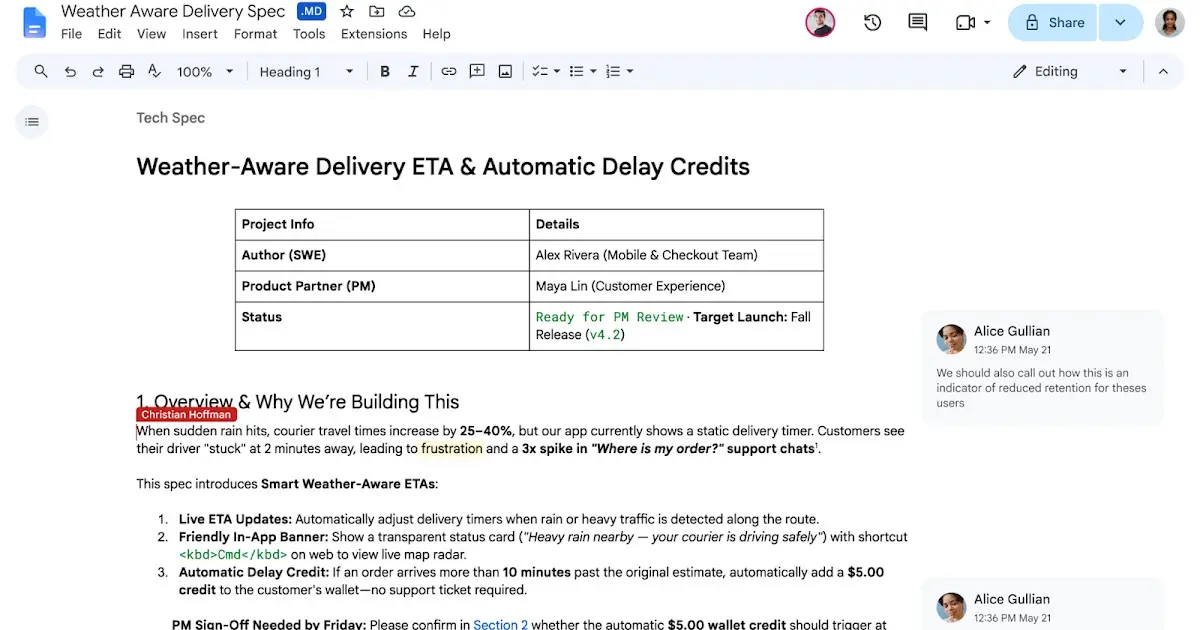
Google has made Markdown a native format in Docs and Drive, so .md files can be opened, edited and commented on without first being converted into a Google document.
What has actually changed
The Google Workspace team began a staged rollout on 5 October 2026. Markdown files can now be viewed, edited and collaborated on in Docs, while Drive shows a rendered preview with working links and structured tables. Until this week, Markdown had to be imported and converted, a process Google says often altered formatting, stripped comments and fragmented files.
Anyone who prefers to write raw syntax still can, but the point is that they no longer have to. Real-time editing and comment threads work on the Markdown file itself, so an editor can leave notes without ever seeing the underlying markup, and the file stays a .md file the whole way through.
Why Google is doing it now
Google is framing the change around artificial intelligence. Chandu Thota, a Workspace vice-president, argues that Markdown “has become the common language between humans and AI agents”, and the company is explicit that one aim is letting people and agents work on the same document. Markdown is compact next to heavy document formats, and language models handle its tables, headings and lists reliably, which makes it a practical bridge between a chat assistant and a shared file.
There is no admin control and no end-user setting to switch on. The feature is enabled by default for all Google Workspace customers and for personal accounts, and Google says it may take up to 15 days for the change to appear everywhere.
Our opinion
Google's previous Markdown support was a converter, and converters are where formatting goes to die. What is interesting here is the direction of travel: Docs is being repositioned as an editing surface for artefacts that AI agents produce and consume, not merely a place where humans type. That is a larger shift than the feature list admits, and it explains why the company reached for a text format that developers already treat as a lingua franca.
The awkward part is discoverability. A capability that arrives on by default, with no toggle and no announcement inside the product, will simply turn up one morning in the middle of somebody's project. A shared folder that suddenly renders tables and clickable links is the sort of change that generates a support ticket long before it generates a thank-you.